
Free
$0 forever
Stack one box size on one pallet and see it in 3D.
Start free- 100 boxes per job
- One box size
- 5 Auto-stack runs a month
- Starter pallets
- Place by hand, edit in 3D
- Load check flags
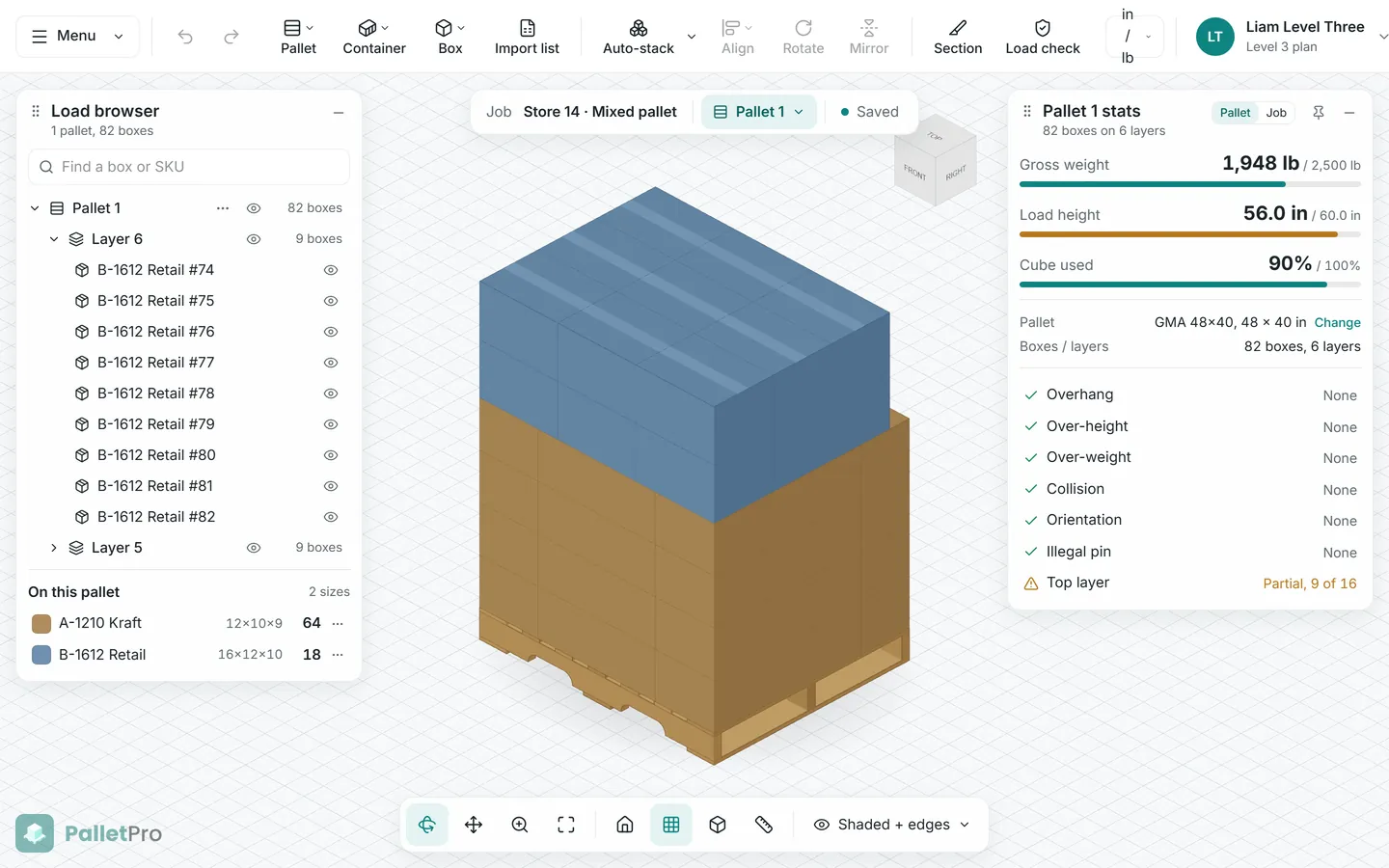
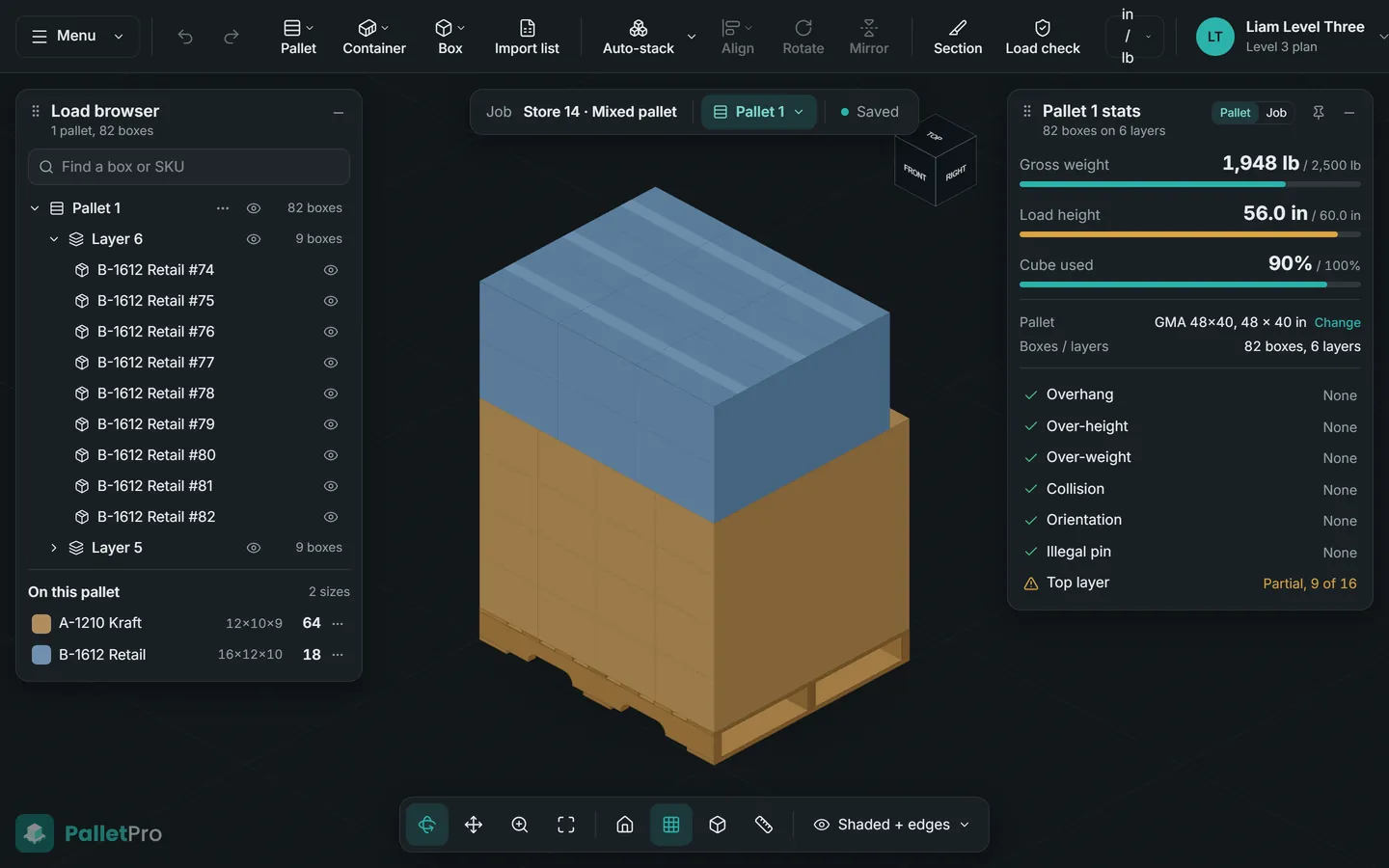
PalletPro is a CAD-style editor for stacking boxes on pallets and in shipping containers. Auto-stack a load in seconds, fix it box by box, check it against your limits, and print a layer-by-layer build sheet for the floor.
Free forever for single pallets. Nothing to install. No card needed.
Built for anyone who ships on pallets
How it works
A job works like a file. Open it, change it, and it saves as you go. The editor is one window: no wizards, no page-hopping.
GMA 48×40, 48×48, 42×42, or Euro 1200×800. Or type your own deck size, height limit, and weight limit.
Type a size, pick from your saved catalog, or paste rows from a spreadsheet. Mark this-side-up and no-rotate.
Watch the stack build live. Then move, rotate, align, or pin boxes and run it again around them.
Load check flags overhang, height, weight, and collisions. Export a PDF with one page per layer.
Try it here
Pick a carton and spin the pallet. Drag to orbit, scroll to zoom, click a box to select it. Stacking your own boxes, Auto-stack, and the full load are in the app.
In the app
The 3D view needs JavaScript and WebGL. Here is the editor instead.
Loading the 3D view…
GMA 48×40
In PalletPro, Auto-stack fills the rest of the pallet for you.
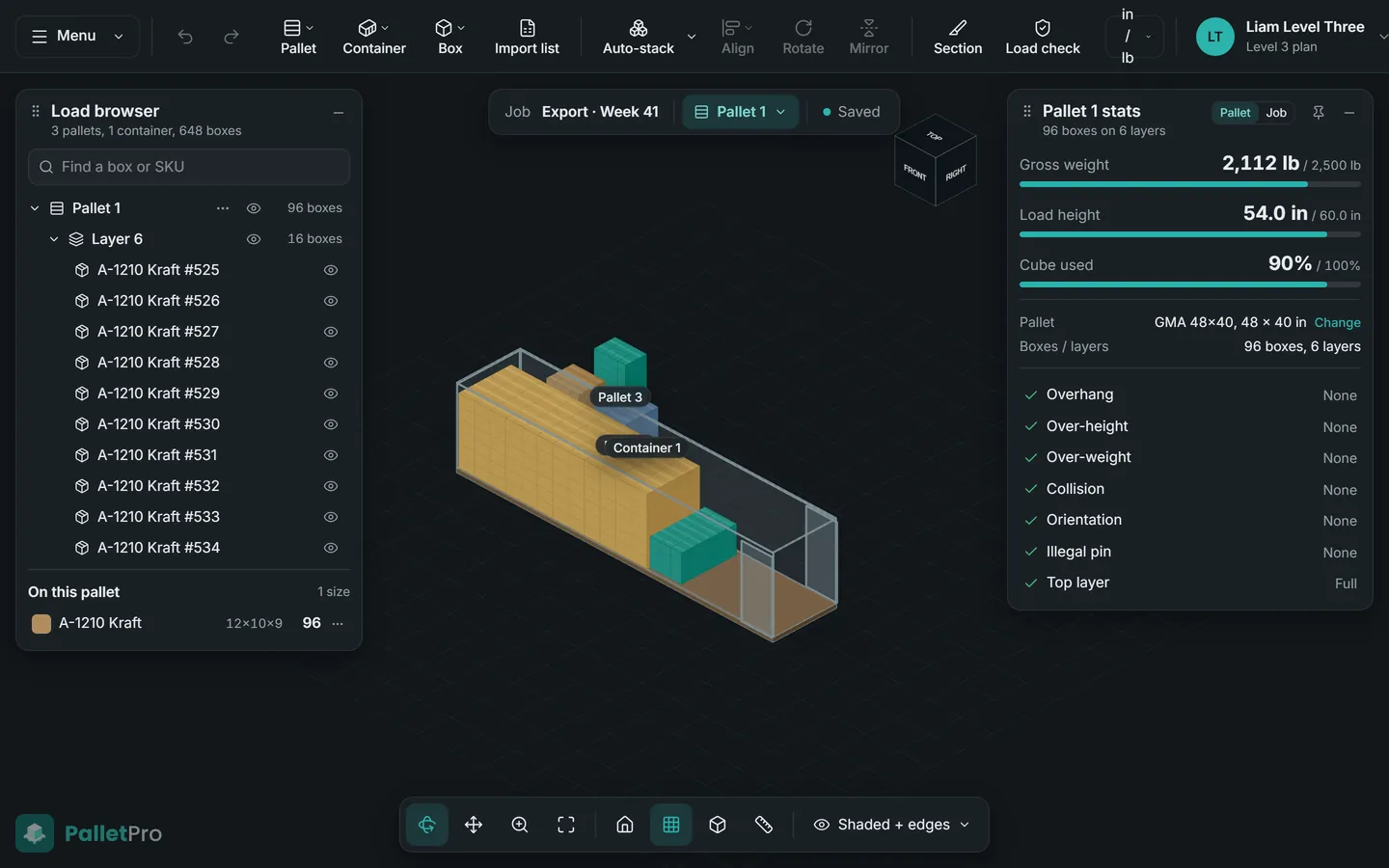
Inside the app
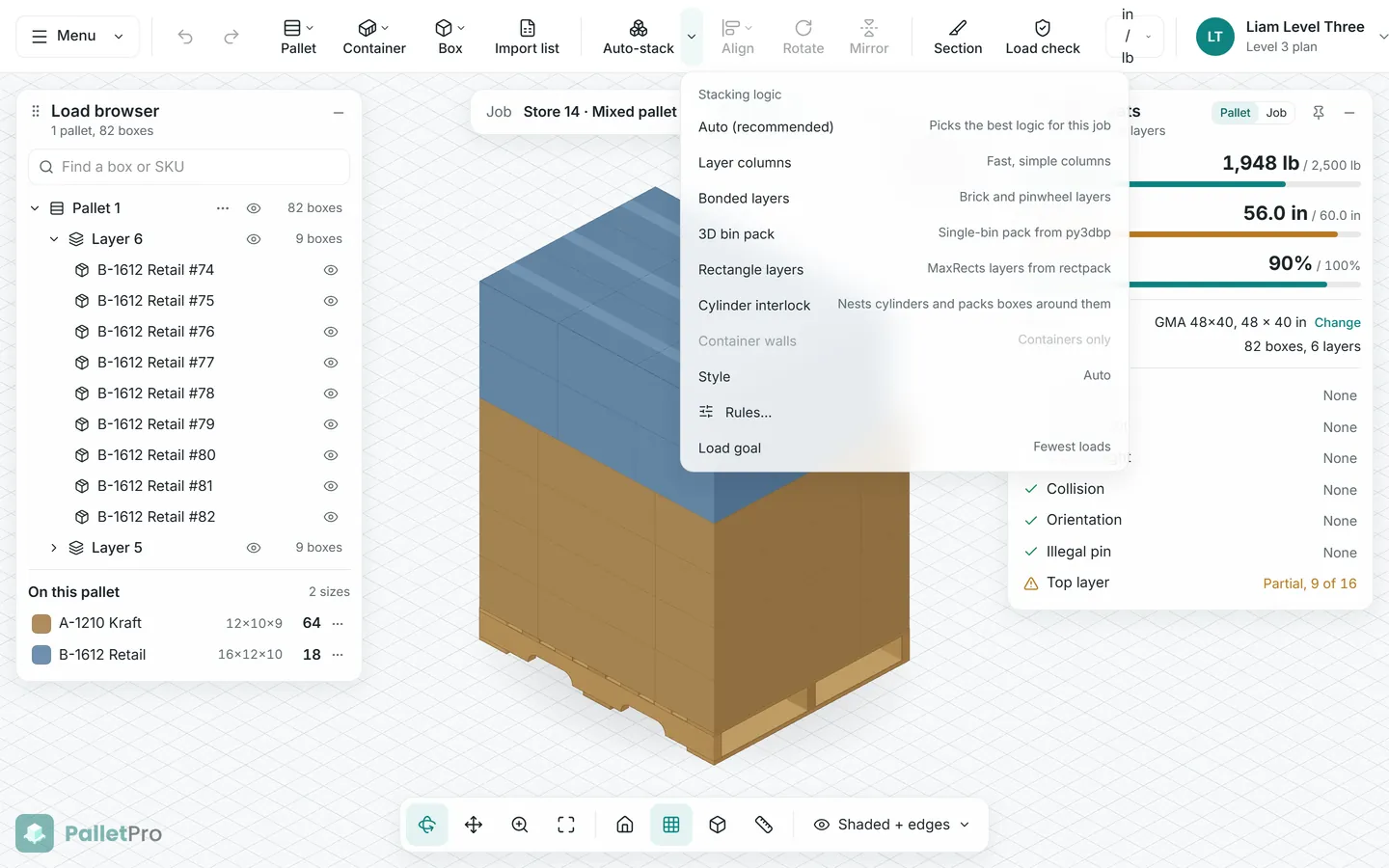
The same editor on every plan. Tools your plan does not include stay on the bar in grey and tell you which plan has them. Nothing jumps around when you upgrade.
Features
Everything you need to plan a load, check it, and hand it to the person building it.
Boxes build up live with a progress bar you can cancel. Rules come first: height, weight, overhang, this-side-up, and no-rotate. Anything that does not fit waits in a taped staging area beside the pallet, and on Level 3 leftovers start the next pallet.
Overhang, over-height, over-weight, collision, orientation, and partial top layers show as flags on the stats card while you work.
Select boxes and change them in place. Pin the ones that must stay put, then run Auto-stack again around them.
Cut away layers to see inside a stack, show overall load dimensions, and snap the camera with the view cube.
Save sizes once with name, SKU, weight, this-side-up, and no-rotate. Color each size so every pallet and the PDF read at a glance.
Import a list or paste rows: name, length, width, height, weight, quantity, SKU. Mixed sizes land in one go.
Stand them on end or lay them in rows that nest into each other's valleys. Cylinders are drawn round, not as boxes.
On paid plans every edit saves, even offline, and syncs when you are back. Undo history travels with the job.
A cover with the pallet, outer size, weight, piece count, and cube used, then one page per layer: a top-down map in your box colors and a piece list. Made in your browser, ready to print.
Apply height, weight, and overhang templates to a pallet in one click. Templates, not carrier law: you can change every number.
Switch units any time. The numbers you typed are kept exactly, so a 12 in box never drifts to 11.99.
Runs in the browser with touch controls for tablets: tap to select, drag to orbit. Light and dark mode included.
New accounts get a quick, skippable tour. Help is one click away in the Menu whenever you need it.
Level 3 · Shipping containers
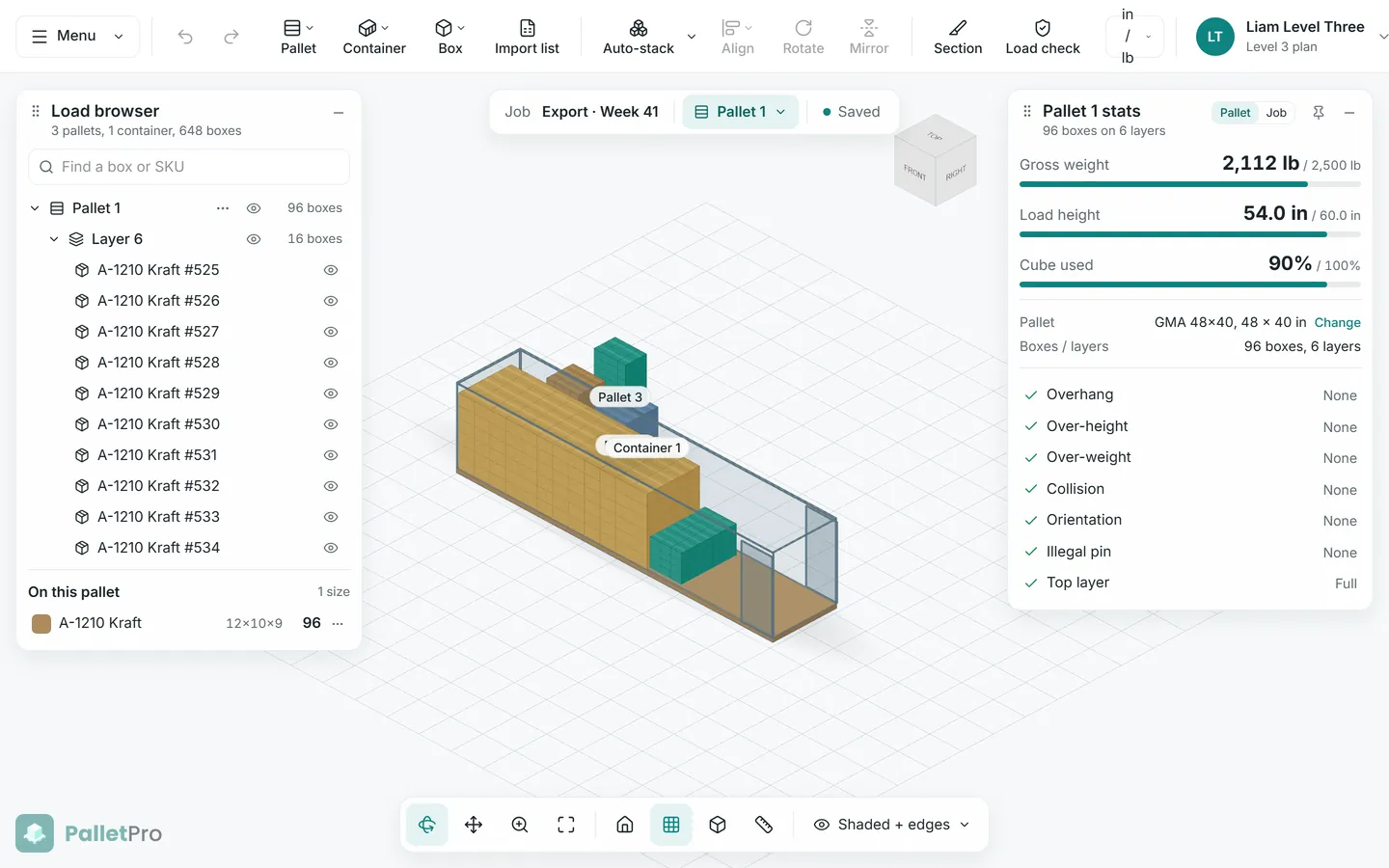
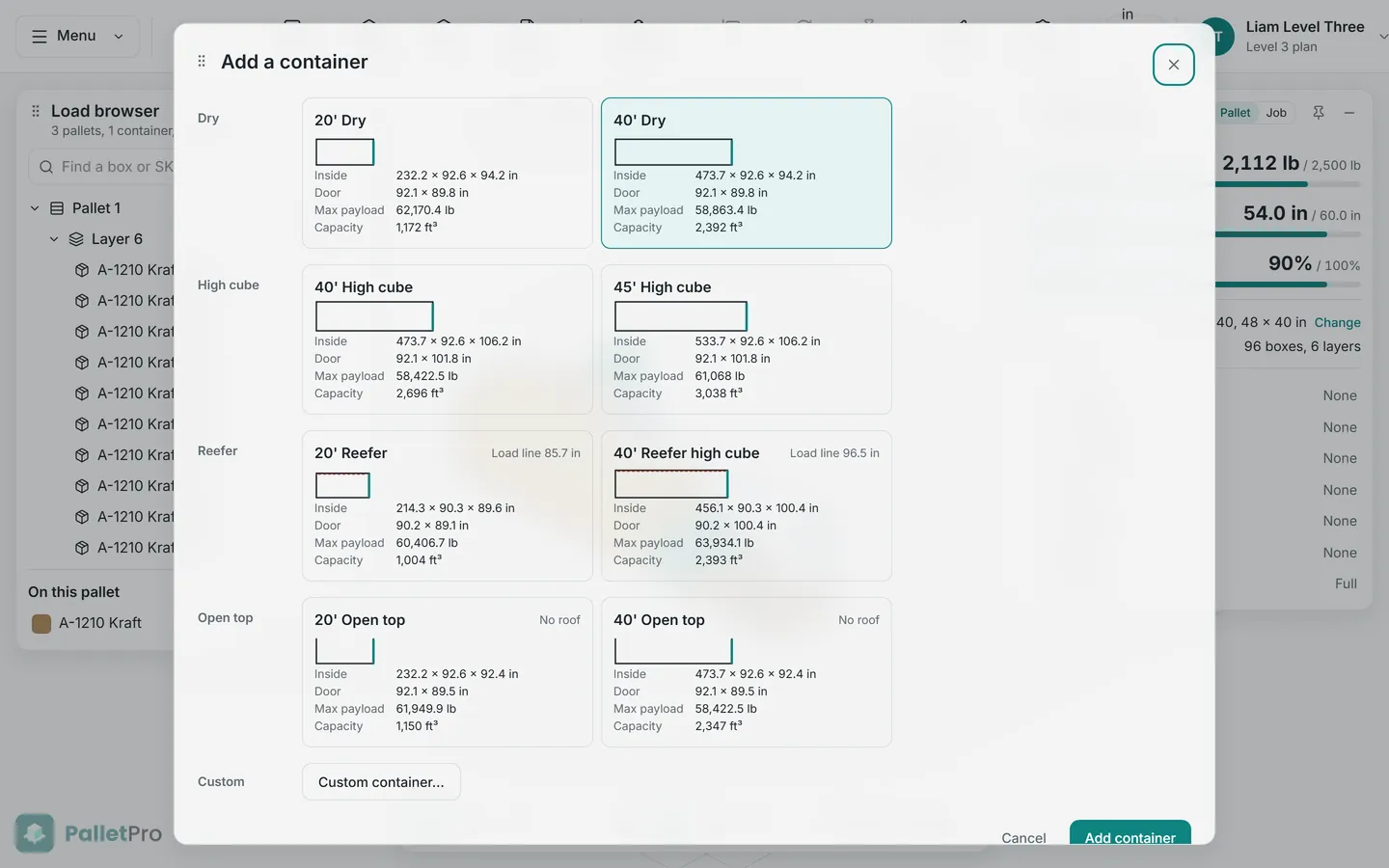
Add a container to any job and fill it with loose cartons, built pallets, or both. Auto-stack builds floor-to-roof walls from the front wall back toward the door.
Pricing
Every plan uses the same editor. Plans change what you can do, never where things are.
$0 forever
Stack one box size on one pallet and see it in 3D.
Start free$29 per month
Save your jobs and print the build sheet.
Choose Level 1$79 per month
Mixed pallets, imports, and full editing tools.
Choose Level 2$199 per month
Many pallets and shipping containers in one job.
Choose Level 3FAQ
Yes. Free has no time limit. You get the full 3D editor with one pallet, one box size, up to 100 boxes, and 5 Auto-stack runs a month. Free jobs are not saved, so closing the tab clears the job. Upgrade when you want to save jobs or print build sheets.
No. PalletPro runs in your browser on a desktop, laptop, or tablet, with touch controls on tablets. Phones work, but the editor is not built for small screens yet, so you will see a short warning.
Auto-stack packs the most boxes it can while keeping the load inside your limits: height, weight, overhang, this-side-up, and no-rotate. Rules come before cube, so a legal shorter stack beats an illegal taller one. You watch the stack build live, and anything that does not fit waits in a staging area. On Level 2 and up you can pick the stacking logic, such as layer columns, bonded brick and pinwheel layers, or 3D bin packing.
Yes. A job is a 3D model you can edit. Drag a staged box onto the pallet on any plan. From Level 2 you can move, align, rotate, mirror, and pin boxes, then run Auto-stack again around the pinned ones. Undo and redo cover the last 20 steps.
Mixed sizes are on Level 2 and Level 3. Free and Level 1 use one box size per job. You can give a size many names on Level 1, for example two SKUs that ship in the same carton.
Yes, on Level 3. Add a 20' or 40' dry, a 40' or 45' high cube, a reefer, an open top, or a custom container. Auto-stack fills loose cartons from the front wall to the door, and you can move pallets you built into the container.
On paid plans every edit saves on its own. If you go offline you can keep working, and your changes sync when you are back online.
Both. Switch between in/lb and mm/kg at any time. PalletPro keeps the numbers you typed, so a 12 in box stays exactly 12 in.
No. The 3D plan and the PDF are guidance for the person building the pallet. Presets for Amazon inbound and LTL are starting templates, not carrier rules. Always check the load against your carrier's requirements.
PalletPro is part of the IsoWMS suite, so you sign in with an IsoWMS account. Your PalletPro jobs and box catalog stay in PalletPro.
Open PalletPro in your browser and stack your first load for free.